
A load combination consists of a group of load cases multiplied by a specific load combination factor. Several types of load combinations are available:
- Persistent combination (Pe.C.)
- Accidental combination (Ac.C.)
- Characteristic (Ch.C.) - combination taking into account primary inclination;
- Quasi-permanent (Qu.C.) - combination taking into account primary inclination;
- Buckling combination (Bu.C);
- Frequent combination (Fr.C.);
- Mass (Ma.C.) - combination of lumping masses for dynamic analysis.
Working with load combinations
Selecting a combination: At the bottom of the "Load combination" grid, select a tab corresponding to the desired type of load combination.
Grid layout:
- "Label" column: Displays all entered load cases (LC).
- "Description" column: Shows the name of the load case, which you can edit or add directly in this field.

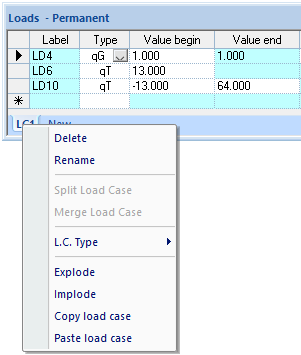
Renaming a combination: You can rename a load case in the "Loads" grid using the right-click context menu:
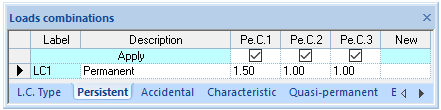
Creating a combination: Enter a factor (e.g., 1.5) in the "New" column. The column header will automatically display the abbreviation of the load combination name followed by an incremental number starting from 1. Once entered, the load case will appear in the Structure View, and the representative loads will be multiplied by the factor.
Deleting a combination: Click on the column header (e.g., Pe.C.1) to select the entire column, then press the DEL key.
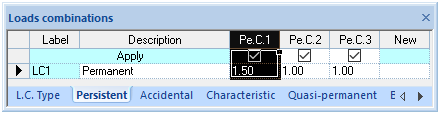
Remaining load combinations will automatically renumber to avoid gaps in the sequence. You can also select multiple columns by dragging the mouse pointer across them.