
De gebruiker krijgt direct de melding dat er geen dongel aanwezig is, terwijl normaal gesproken de keuze voor een licentietype (bijvoorbeeld standalone) beschikbaar zou moeten zijn.
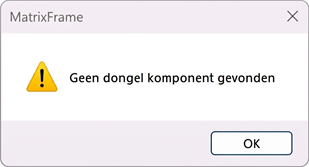
De dongelmodule is niet correct geregistreerd in het systeem.
Oplossing:
Registreer de dongelmodule handmatig via de opdrachtprompt:
- Open de opdrachtprompt (cmd) als administrator (Run as administrator is noodzakelijk, anders zal de opdracht niet werken).
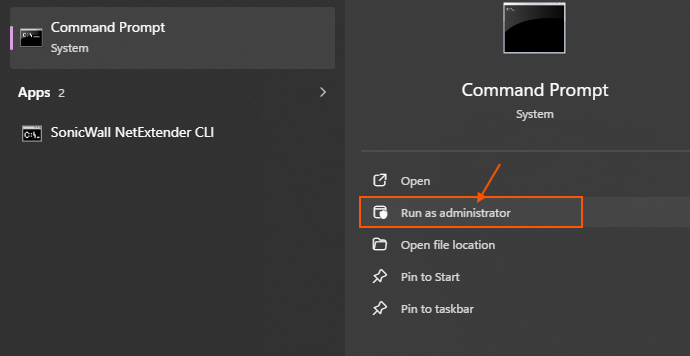
- Voer de volgende opdracht in (kopiëren en plakken wordt aanbevolen):
- "c:\Program Files (x86)\Matrix\Matrix Shared\MxProtection120\MxProtCSrv.exe" /regserver
- Druk op Enter om de opdracht uit te voeren.
Opmerking:
Het gedeelte MxProtection120 in het pad kan in toekomstige versies afwijken. Controleer in dat geval de juiste mapnaam binnen de installatiemap van Matrix.
Na het uitvoeren van deze stappen zou de gebruiker weer de juiste licentieopties moeten kunnen selecteren.