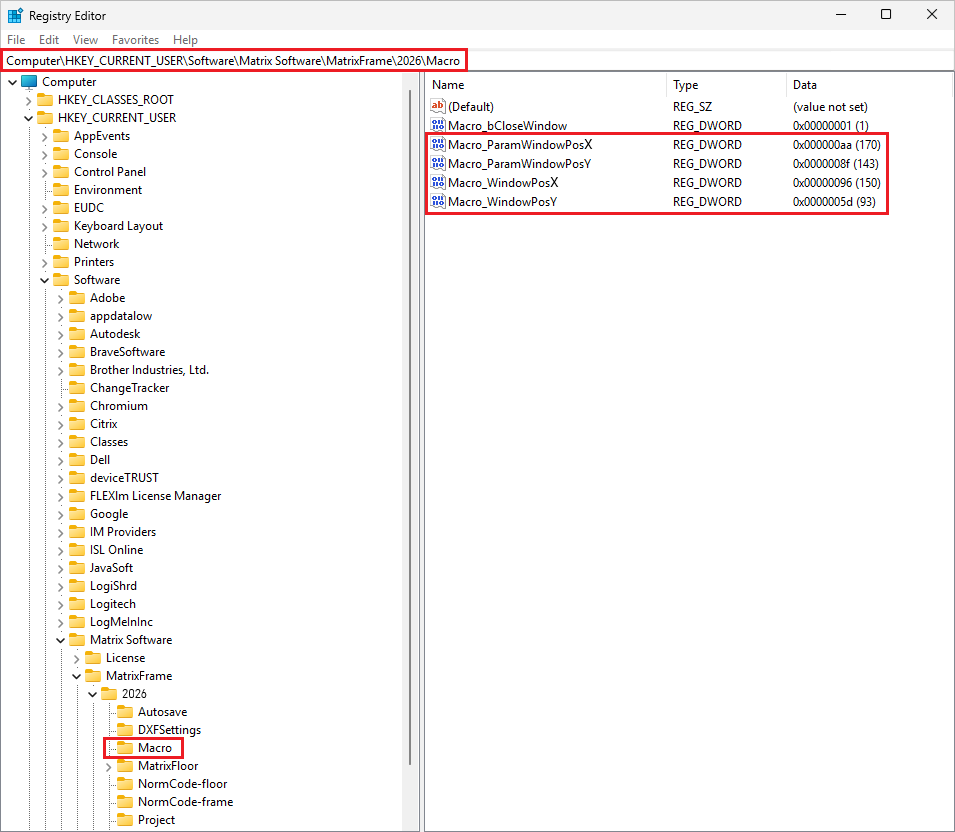
The position of windows can be adjusted manually via the Registry Editor. To do this, open Run using Windows + R, type regedit, and navigate to: HKEY_CURRENT_USER > Software > Matrix Software > MatrixFrame > [Software version] > Macros.
Within this folder, the X and Y position values can be modified by adjusting the decimal values, for example paramwindowPosX = 170 and WindowPosX = 150. This allows the position of the window on the screen to be corrected.